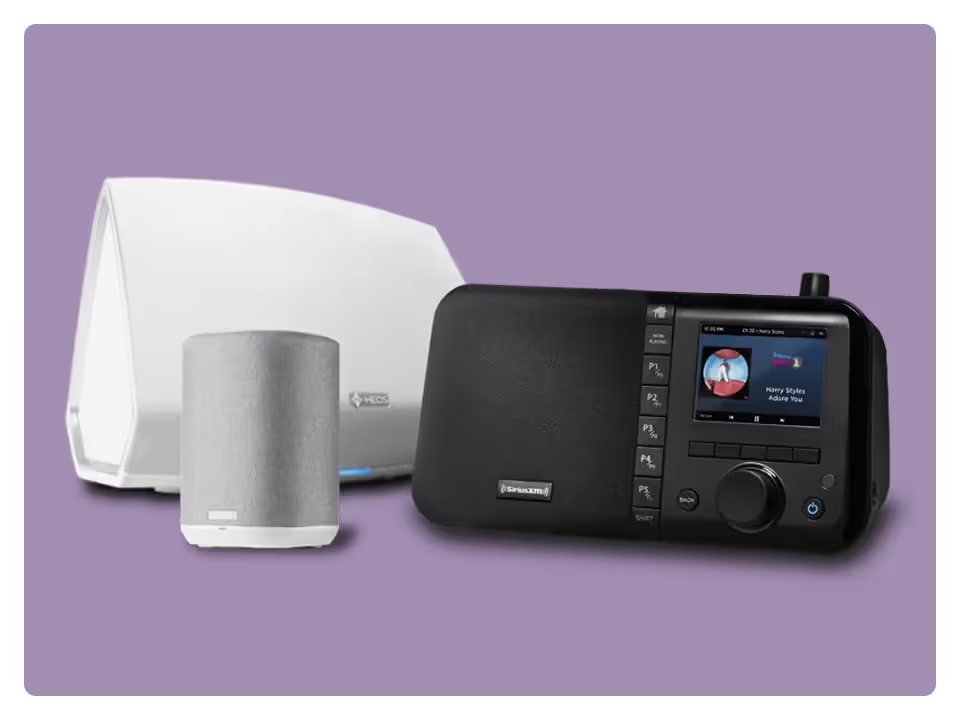
Play SiriusXM via the DTS Play-Fi platform and app
DTS Play-Fi™ is available on Paradigm Wireless, Polk Omni, and more speaker brands than any other whole home audio ecosystem. Some Play-Fi speakers also work with Amazon Alexa, so you can simply say what you want to hear.
To Play SiriusXM on Play-Fi Speakers:
Download the DTS Play-Fi app on your smartphone or tablet.
Your HEOS® app and speakers let you listen in any room, and control it all from your smartphone. Pair them with an Amazon Alexa-enabled device, and you can choose your favourite channels by name.
To Play SiriusXM on HEOS Speakers:
Download the HEOS app on your smartphone or tablet.
Select Music then SiriusXM.
Select I have a SiriusXM account and enter your login credentials.
Yamaha AV receivers’ legendary sound engineering, reliability, and easy-to-use features make them a great choice to pair with SiriusXM’s world class entertainment.
SiriusXM subscribers can listen on these audio systems, too
Autonomic
Control4
Crestron
Integra
Nuvo
Russound
TiO
URC
Ready to sign up?
Take a look at these great offers. Channel lineup varies by package.
In Car + On the SiriusXM app
Music & Entertainment
$6/month
for 12 months
Then $25.99/mo. Taxes extra. New subscriptions only. See Offer Details below.
Enjoy a wide range of entertainment, with expertly curated ad-free music, Howard Stern, celebrity-hosted talk, in-depth sports analysis, select live play-by-play, and more. Listen in your car and on the SiriusXM app.
Enjoy a wide range of entertainment, including expertly curated ad-free music, celebrity-hosted talk, in-depth sports analysis, select live play-by-play, and more. Listen in your car and on the SiriusXM app.
400+ channels, including 140+ in your vehicle, with more to stream on the SiriusXM app
Ad-free music across every genre and decade, plus dedicated artist channels
Original talk, podcasts, exclusive comedy, news from across the globe and Howard Stern
The biggest names in sports talk
Exclusive video of in-studio shows and performances
400+ channels, including 140+ in your vehicle, with more to stream on the SiriusXM app
Ad-free music across every genre and decade, plus dedicated artist channels
Original talk, podcasts, exclusive comedy, news from across the globe
The biggest names in sports talk
Exclusive video of in-studio shows and performances
400+ channels in your car and streaming on your devices
Ad-free music across every genre and decade, plus dedicated artist channels
Original talk, podcasts, exclusive comedy, news from across the globe
The biggest names in sports talk
Exclusive video of in-studio shows and performances
Then $11.99/mo. Taxes extra. Cancel online anytime. See Offer Details below.
Everything SiriusXM has to offer, with expertly curated ad-free music, Howard Stern, live sports & analysis, podcasts, Artist Stations and more.
Listen on your phone, connected devices, and in your car using your smartphone.
425+ channels on the SiriusXM app
Ad-free music across every genre and decade, plus dedicated artist channels
Live sports play-by-play for NFL, MLB®, NBA, NHL®, NCAA®, NASCAR®, and PGA TOUR®
Original talk, exclusive comedy, news from across the globe, and Howard Stern
Podcasts and binge-worthy series from top creators
Absolutely. SiriusXM is available with the SiriusXM app, a standalone subscription where you can listen on computers, tablets, phones, and other enabled at-home devices. No radio required. If you already have a SiriusXM radio subscription, streaming is included most of the time.
Learn About Listening on the SiriusXM app
With the SiriusXM app, you get more than 350 channels including ad-free music, plus sports, news, talk, and entertainment. However, not all channels broadcast over satellite are available to stream and vice-versa.
See the SiriusXM streaming lineup
NFL play-by-play is available on the SiriusXM app to subscribers with any Platinum or Music & Entertainment subscription. If you have a All Access (App Only) or Streaming Music & Entertainment subscription with no satellite radio access, you cannot listen to NFL play-by-play on the SiriusXM app.
SiriusXM Video is included in Platinum, Music & Entertainment, Music Showcase, Streaming Platinum, or Streaming Music & Entertainment Plans. Howard Stern Video is included in Platinum, Sirius Music & Entertainment, and All Access (App Only) Plans.